Getting Started
Overview
Stocky Terminal is a real-time market intelligence platform that combines live financial data, geopolitical risk monitoring, and AI-powered analysis into a single interface. Built for traders, analysts, and anyone who needs to stay on top of global markets, it delivers institutional-grade data in a clean, keyboard-driven terminal interface.
The terminal runs entirely in your browser — no installation required. It connects to live data feeds for Indian and global equity indices, commodities, forex pairs, and cryptocurrencies. An interactive 3D map visualizes trade routes, infrastructure, conflict zones, and natural events in real time.
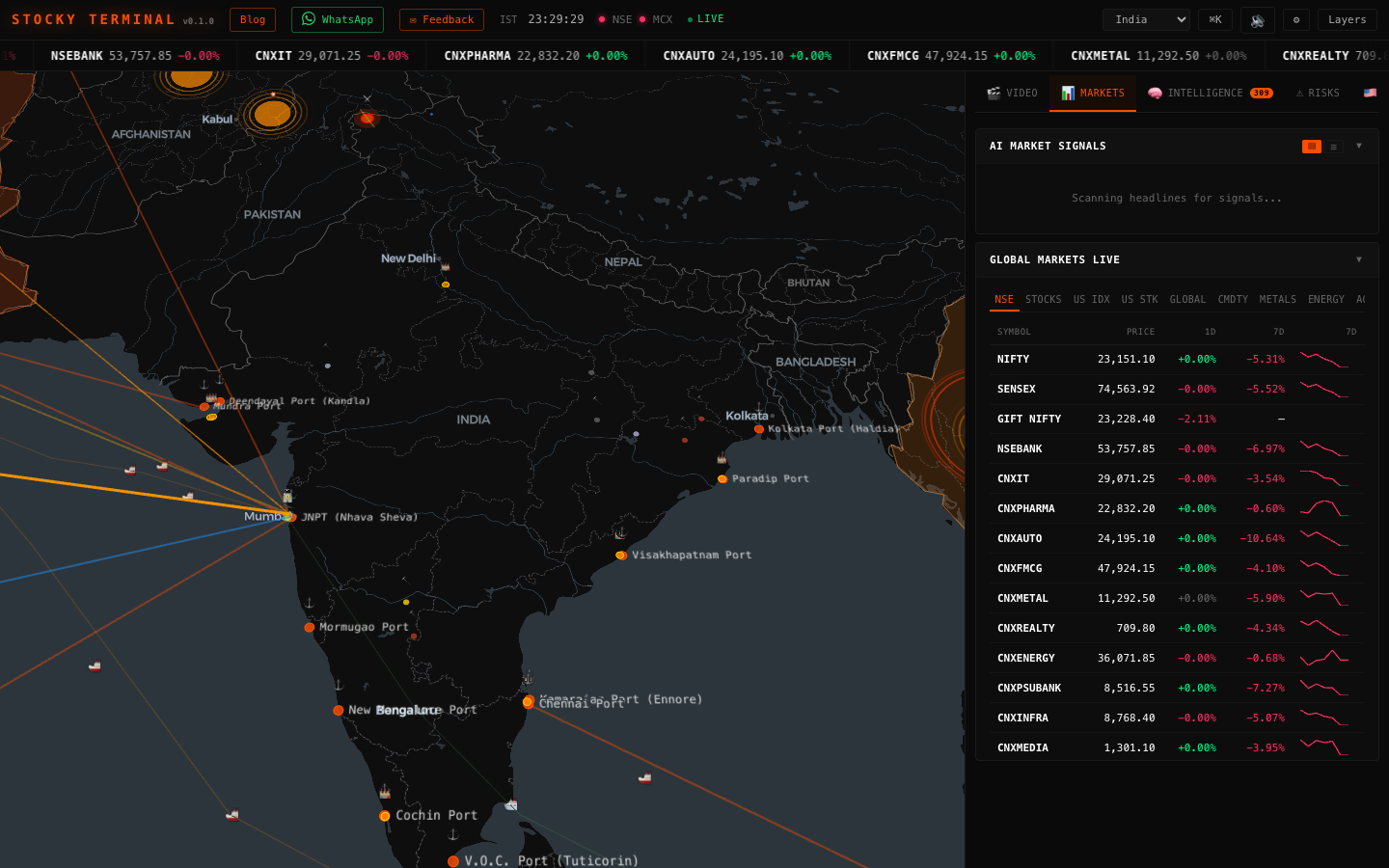
The Map
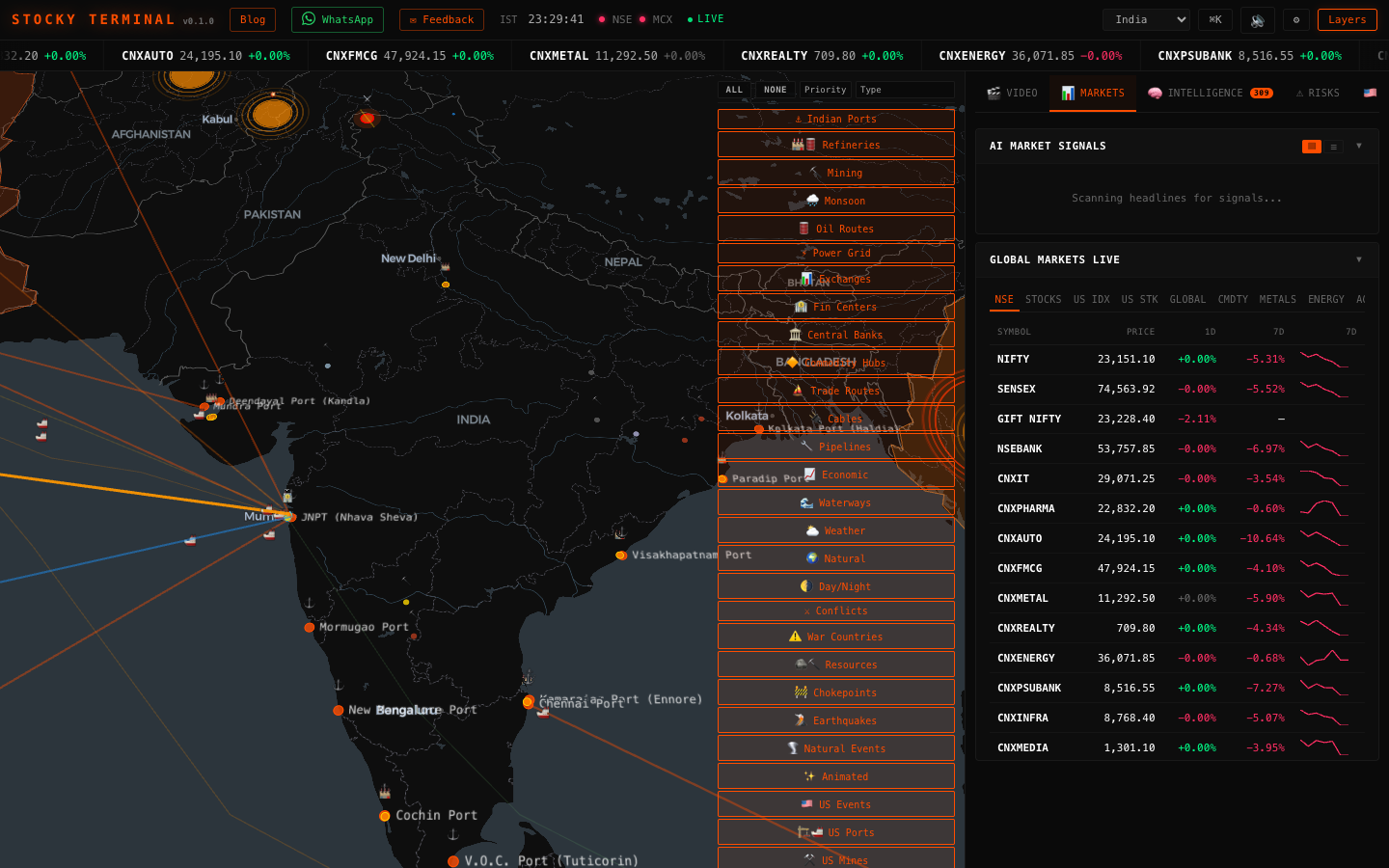
The centerpiece of Stocky Terminal is an interactive 3D globe powered by deck.gl and MapLibre. It renders 27+ data layers that you can toggle on and off to visualize exactly the information you care about. Layers include Indian ports, global trade routes, oil pipelines, submarine cables, power grids, conflict hotspots, earthquake activity, weather patterns, and more.
Use the Layers button in the header to open the layer control panel. You can filter layers by priority (Critical, High, Medium, Low) or by category (Infrastructure, Finance, Trade, Natural, Geopolitical). The "All" and "None" buttons let you quickly toggle everything on or off.
The map supports smooth fly-to animations when you switch regions using the region selector dropdown. Available regions include India, Global, Asia, MENA, Europe, Americas, and USA.
Sidebar Panels
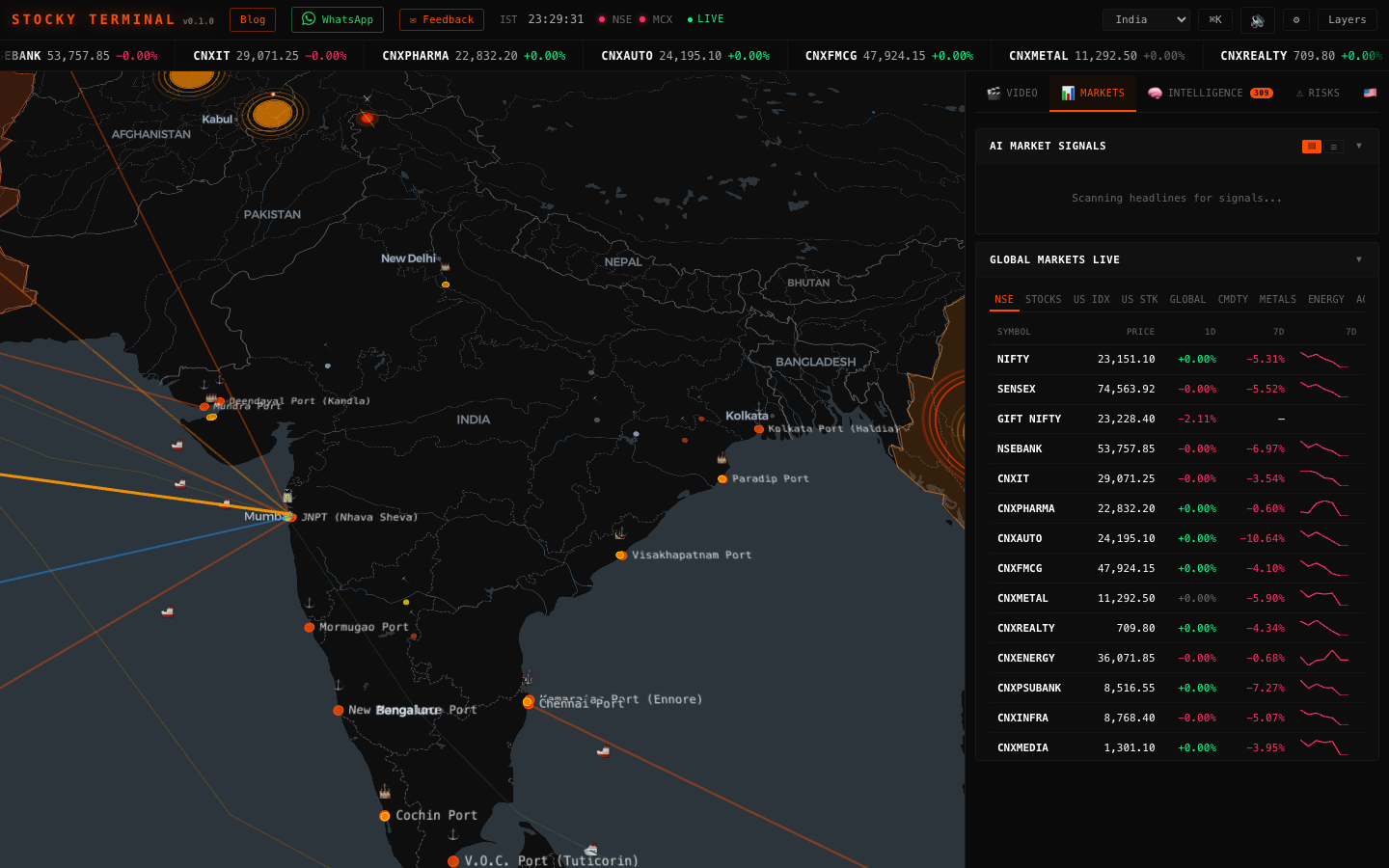
The right sidebar organizes all data panels into five tabbed categories for fast navigation:
- Video — Live and recent YouTube market analysis from curated financial channels. Stay updated with expert commentary without leaving the terminal.
- Markets — Real-time price data for NSE, BSE, and global indices. Includes AI-generated trade signals with confidence scores and affected asset lists. View 1-day and 7-day percentage changes at a glance.
- Intelligence — Aggregated news from 30+ RSS feeds with AI severity scoring. Includes curated X/Twitter feeds from market analysts and a high-impact signals panel for breaking developments.
- Risks — Commodity risk gauges, monsoon impact analysis for Indian agriculture, supply chain disruption tracking, and a wars/conflicts monitor with real-time geopolitical updates.
- US — Dedicated US market coverage including US-specific events, news, and risk analysis panels.
Click any tab to switch categories. The terminal remembers your last active tab between sessions. Badge counts on tabs alert you to new items since your last visit.
Search / Cmd+K
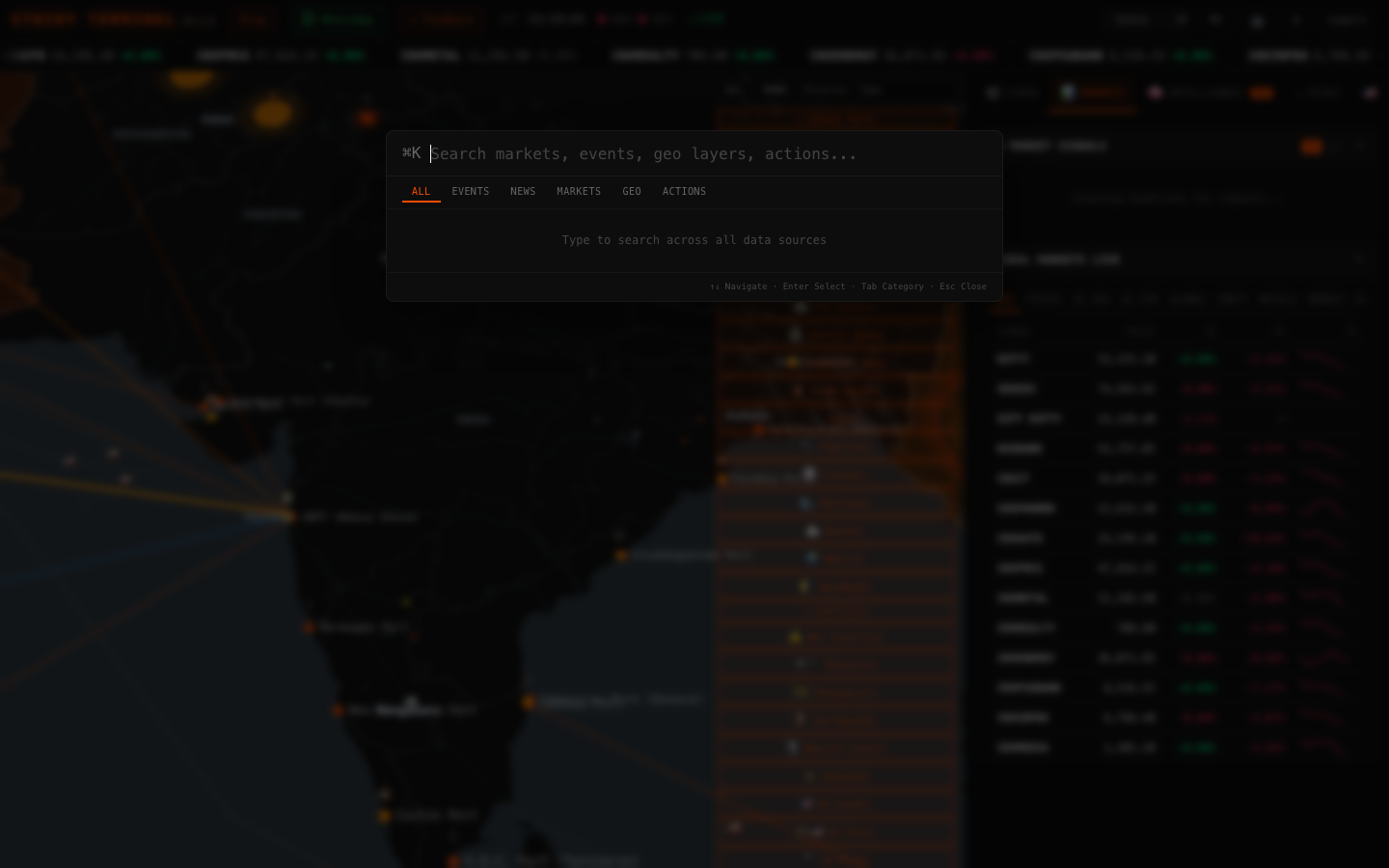
Press Cmd+K (or Ctrl+K on Windows/Linux) to open the universal command palette. It provides fuzzy search across all terminal features:
- Search for stocks, indices, and commodities by name or symbol
- Jump to specific map layers or regions
- Navigate to any sidebar panel
- Access settings and configuration
The search is instant — results appear as you type. Use arrow keys to navigate results and Enter to select. Press Esc to close the palette.
Settings
Click the gear icon (&cog;) in the header to open the settings modal. Available options include:
- Theme — Switch between dark and light themes. The dark theme (default) is optimized for extended market monitoring sessions.
- Audio Alerts — Toggle sound notifications for high-impact events. When enabled, the terminal plays an alert sound when critical market events or breaking news arrive. Use the speaker icon in the header for quick mute/unmute.
- Notifications — Configure browser push notifications for price alerts and breaking news. Requires granting notification permission on first use.
All settings are persisted in your browser's local storage and restored automatically on your next visit.
Keyboard Shortcuts
| Shortcut | Action |
|---|---|
| Cmd+K / Ctrl+K | Open command palette / universal search |
| Esc | Close command palette, modals, or popups |
| 1 - 5 | Switch sidebar tabs (Video, Markets, Intelligence, Risks, US) |
| L | Toggle layer controls |
| M | Toggle audio mute |